Carvalho Card Collection Plugin for RPG Maker MV
A downloadable tool
🃏 Carvalho Card Collection Plugin v1.3.15
for RPG Maker MV (v1.6.1)
By Lucas Fira (Carvalho)
🌟 Overview
Transform your RPG Maker MV project with the Carvalho Card Collection Plugin, a feature-rich system that introduces collectible cards as in-game items that boost party stats.
Ideal for RPGs with gacha, collection, or upgrade mechanics, this plugin offers a custom UI, tiered card system, and stackable bonuses for duplicate cards.
✨ Key Features
-
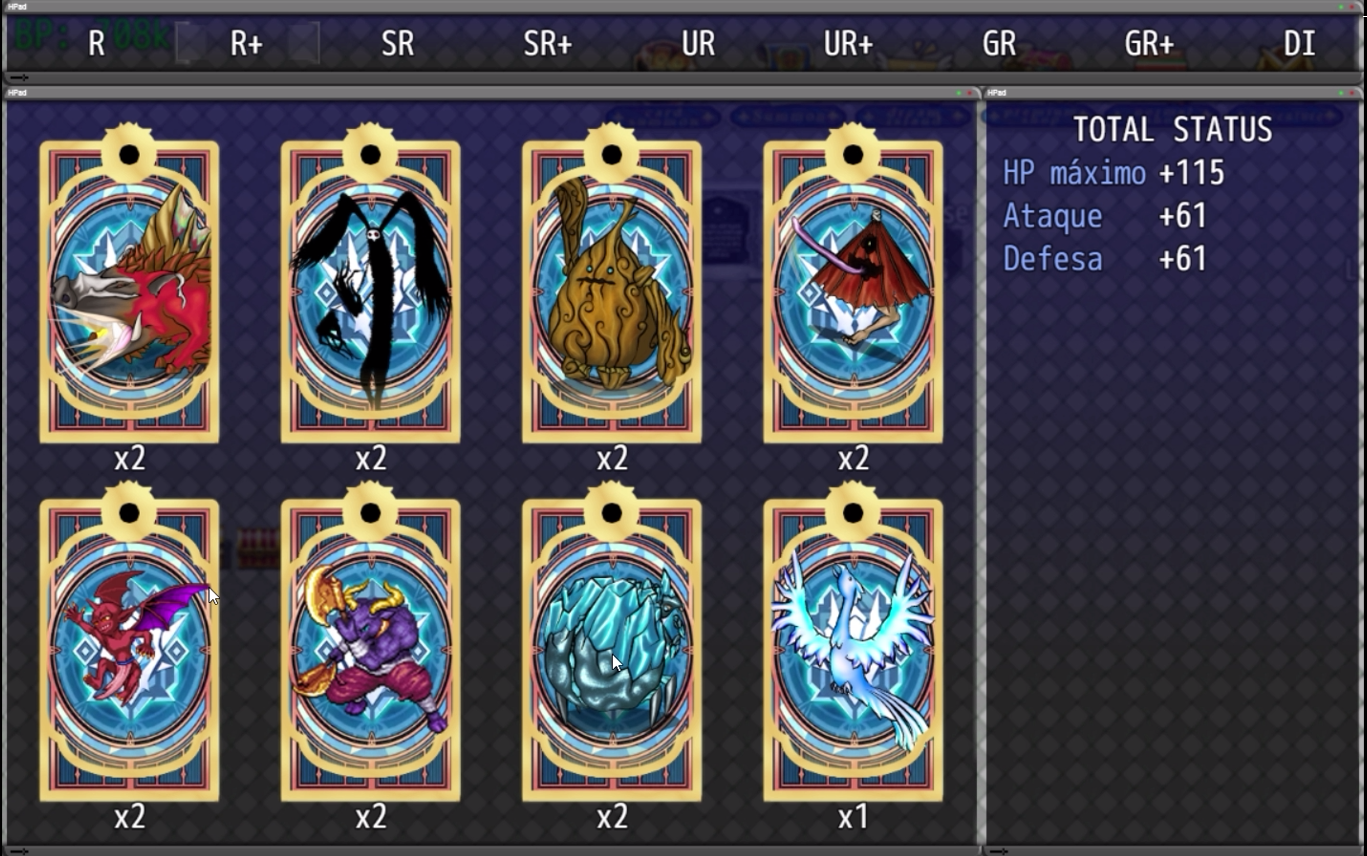
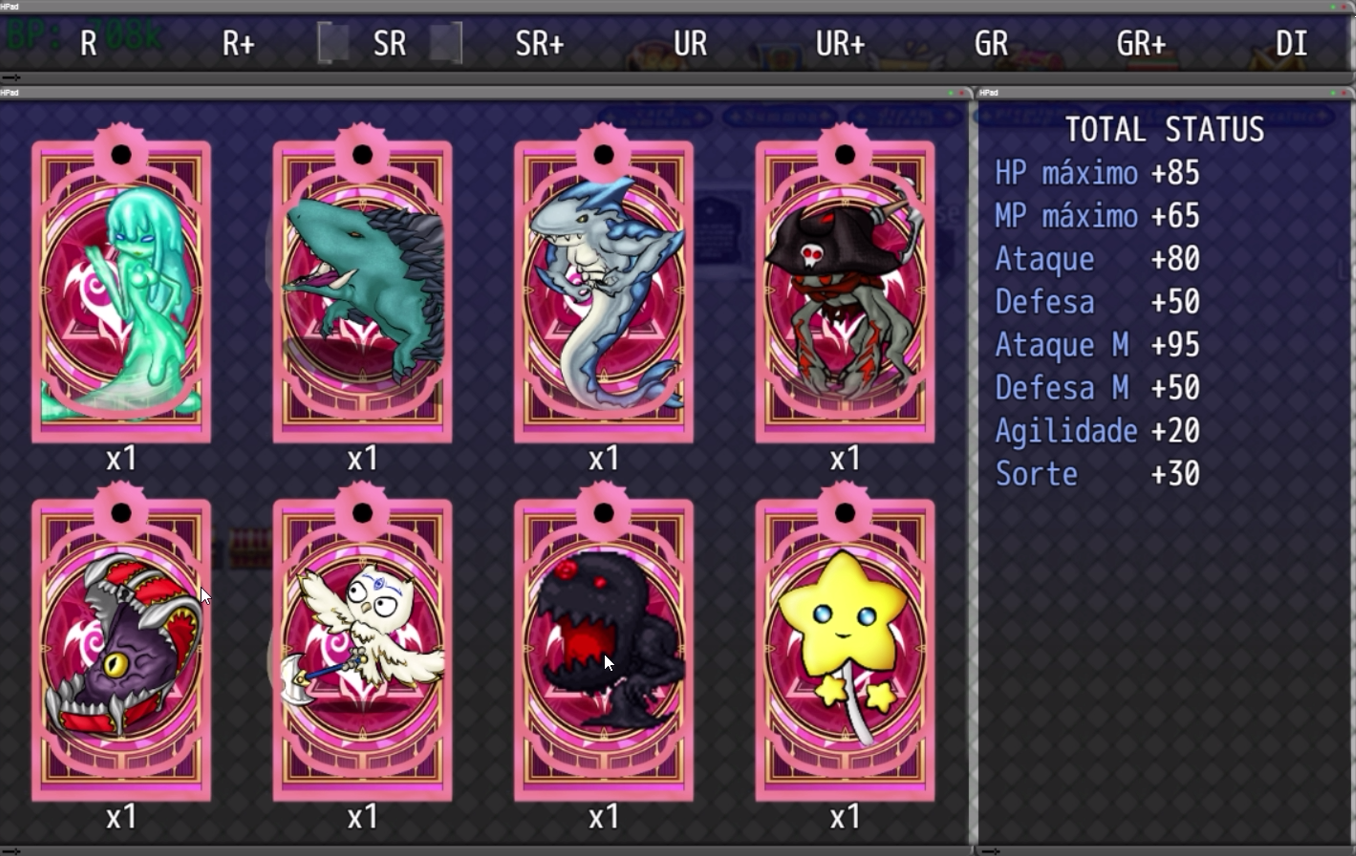
📚 Card Collection Interface
A dedicated screen to browse and manage cards, organized by tier and showing total stat bonuses. -
🎴 Tier-Based Card System
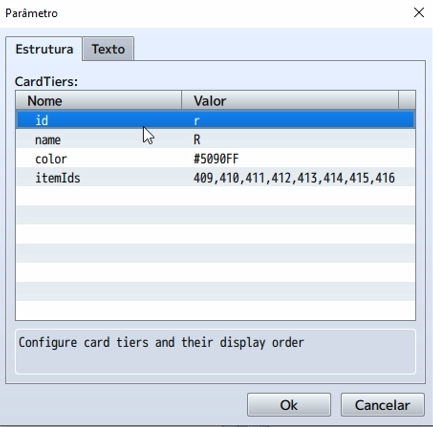
Supports 9 customizable tiers: R, R+, SR, SR+, UR, UR+, GR, GR+, DI. Each tier can have its own name, color, and item ID list. -
📈 Stackable Stat Bonuses
Cards grant party-wide stat boosts like HP, ATK, DEF, etc. Additional copies of the same card increase bonuses by 0.5x (rounded up). -
🖼️ Customizable Visuals
Configure card image folder (img/cardsystem/), card size (default: 212x355), and window dimensions. -
🔢 Card Quantity Display
Number of copies shown centered above each card image, ensuring clarity and readability. -
🧭 Intuitive Navigation
Navigate between tiers and cards using keyboard, with real-time stat updates per tier. -
🔄 Safe Compatibility
Stat bonuses are tracked independently, avoiding conflicts with other parameter-based plugins. -
⚡ Optimized Performance
Preloads card images and caches stat data for smooth updates and zero lag. -
🎮 User Access
Available through the main menu (“Deck”) or with the plugin commandOpenCardSystem.
🕹️ Plugin Command
OpenCardSystem
Opens the card collection screen.
ITEM NOTE TAG EXAMPLE:
<CardImage:r1>
<CardStats>
mhp 10
mmp 0
atk 5
def 5
mat 0
mdf 0
agi 0
luk 0
</CardStats>
<CardImage:sr5>
<CardStats>
mhp 0
mmp 25
atk 0
def 0
mat 20
mdf 20
agi 0
luk 0
</CardStats>
🛠️ Installation & Setup
-
Save the plugin as
CarvalhoCardCollection.jsin yourjs/pluginsfolder. -
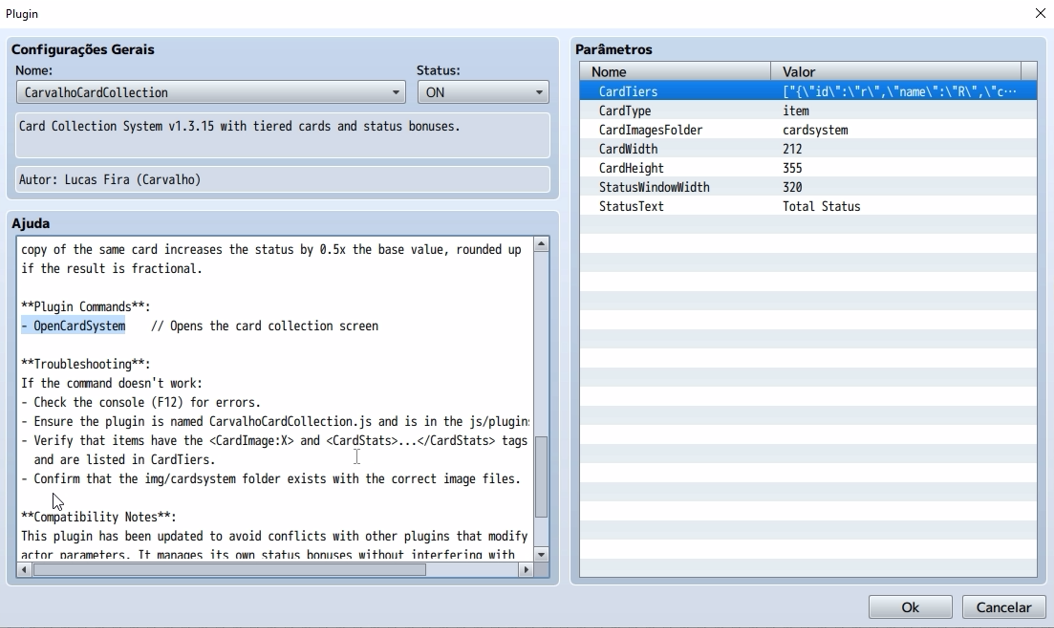
In Plugin Manager, configure:
-
CardTiers: Define tier names, highlight colors, and assigned item IDs. -
CardType: Default is "Item". -
CardImagesFolder: Default iscardsystem. -
CardWidth/CardHeight: Default is212x355. -
StatusWindowWidth: Default is320. -
StatusText: Default is"Total Status".
-
-
Add metadata to your card items in the Note field:
<CardImage:fireknight> # Image filename without extension <CardStats> mhp 10 atk 45 def 50 </CardStats>
-
Place card images in
img/cardsystem/(or the folder you set). -
Open the collection via the “Deck” menu or use the plugin command.
-
Test thoroughly: gain cards, change party members, and watch the bonuses apply dynamically.
💡 How Status Bonuses Work (Step by Step)
🃏 Card as Items
Cards are standard Item entries in RPG Maker MV.
Each must include a <CardStats> block in the item’s note field:
<CardStats> mhp 10 mmp 0 atk 45 def 50 mat 0 mdf 0 agi 0 luk 0 </CardStats>
This grants +10 HP, +45 ATK, and +50 DEF to all party members.
🧠 Bonus Application Process
When you gain a card or change party members, the plugin:
-
Scans your party inventory for items that belong to any tier.
-
Parses
<CardStats>from each item. -
Applies stacked bonuses for duplicate cards (see below).
-
Updates all party members via
actor.addParam(paramId, value).
Stats are recalculated every time a card is added/removed or party members change.
Old bonuses are subtracted first to prevent duplication:
actor.addParam(0, -oldMhp); // Remove old MHP bonus actor.addParam(0, newMhp); // Apply new MHP bonus
📊 Display
-
The Window_CardStatus (right panel) shows the total bonuses for the selected tier.
-
Only non-zero stats are displayed, formatted like:
+10 ATK,+20 DEF.
🔁 How Repeated Cards Work
📈 Stacking Formula
Each extra copy of a card increases the stat bonus by +50% of its base, rounded up:
js
CopiarEditar
Total Bonus = Base Stat * (1 + (N - 1) * 0.5)
Example – Card ID 401:
<CardStats> mhp 10 atk 20 </CardStats>
-
1 copy → HP:
10 * 1 = 10, ATK:20 * 1 = 20 -
2 copies → HP:
10 * 1.5 = 15, ATK:20 * 1.5 = 30 -
3 copies → HP:
10 * 2 = 20, ATK:20 * 2 = 40
🧮 In Code
Within getTierStats(tier):
totalStats.mhp += Math.ceil(stats.mhp * (1 + (count - 1) * 0.5));
-
stats.mhp: The base stat. -
count: Number of that card in inventory ($gameParty.numItems(item)).
🔍 Visual Feedback
-
Each card displays its quantity as
x2,x3, etc. -
This is drawn 15 pixels above the bottom of the card image, centered horizontally.
🧩 Key Code Snippets
Parse stats from <CardStats>:
if (line.match(/<CardImage:(.+)>/i)) { return RegExp.$1; }
Apply bonuses:
actor.addParam(0, totalStats.mhp); // HP actor.addParam(2, totalStats.atk); // ATK
Stacking logic for duplicates:
totalStats.mhp += Math.ceil(stats.mhp * (1 + (count - 1) * 0.5));
📜 Terms of Use
-
✅ Allowed: Commercial and non-commercial use by verified buyers.
-
❌ Not Allowed: Redistribution, reuploading, or modification without explicit permission.
-
📧 Support & Contact: https://linktr.ee/lucasfira
Purchase
In order to download this tool you must purchase it at or above the minimum price of $5 USD. You will get access to the following files:
Comments
Log in with itch.io to leave a comment.
I can't purchase your plugin because the bank card you set up can't be used for payment, and my PayPal can't recognize my card for making payments.
unfortunately pay pal is the only method I can use.
I can use PayPal, but you have set an option that disables payment by bank card. My PayPal cannot recognize the bank card I have already bound for payment to complete the purchase. Could you please enable Stripe to allow buyers to make payments?
my friend sorry for the delay, i got home and created the account at STRIPE, try to make the purchase now, to see if you can.
Yes, I can buy it! I'll use it in my game, and I hope you can try out my game.
Cool then send a picture for me to see how it went!